About PlaidMakerTM

How to Use

  1. Pick your colors »
    The first step to making plaid patterns is choosing the color you want. Colors are specified by hexidecimal notation. You can read about hex colors on Wikipedia. If you're not a geek and don't happen to know what hex colors are, you can use the color picker to select a color that looks good. The hex value will automatically appear for the color you choose.
  2. Make rows & columns »
    Think about each row or column as being a thread on a plaid shirt. PlaidMaker basically weaves the rows and columns together to get the checkered plaid look. Here you can pick colors from the ones you specified in step 1. This way you can change your colors without altering your pattern. Width values are in pixels, the standard unit of mesurement on the web. I don't recommend it, but if you stick your nose to your computer monitor and look really closely, you might be able to distinguish the pixels.
  3. Preview »
    Click the “preview” button to see your plaid being made. You won't get any errors and any blank fields will be ignored. If you would like to see what your pattern looks like repeated, click on the “set as background” link. Mirroring the rows or columns will double the size of the row or column repeating backwards the pattern you've entered.
  4. Save it »
    Once you're satisfied with your plaid, you may save it to the gallery. After it's saved you will be given a link to view the plaid in the gallery. Please save the URL of this page if you're interested in finding your plaid again. Soon I will add user accounts so you can log in to see everything that you've made.

History

After studying the thread pattern of my favorite plaid shirt, I theorized that its pattern could easily be represented, pixel by pixel, with a gif image.

I took a close look at my shirt and noted the number of threads, their colors and their directions. With MS paint and the pencil tool, I drew each pixel of the pattern and copied and pasted it repeatedly. This, however, was a tedious process and I found a much more efficient way to make plaids with Photoshop using layers, masks and patterns.

The Photoshop method was still not good enough for me; I had always wanted to write a program to do it. The algorithm, I knew, was extremely simple but I didn't know how to create images. Finally I learned PHP and the GD library which gave me the tools to make my program.
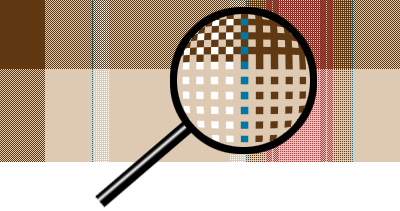
A Plaid Image Up-close

Roadmap

There are a ton of improvements that I'd like to make to the PlaidMaker. Here is a list of enhancements I plan on eventually making and bugs I plan on fixing:

Changelog

VersionDescriptionDate
0.6
  • Added a color picker
  • Added a javascript dropdown that shows colors instead of hex values
2010-06-21
0.4.1
  • paginate the gallery
 
0.4
  • friendly urls
  • change name of plaid.php to plaid_img.php
  • create separate script for an individual plaid vs. the gallery
  • add an "about" page
  • add html image (currently they are all CSS background images--not search engine friendly)
  • added 960 grid CSS
 
0.3
  • added a saving feature
  • added the gallery page
 
0.2
  • separate inputs for each color group
  • colors now based on id to allow for easy editing and reproduction
 
0.1
  • First version, simple long string input for each axis